
EQ · Coming soon
Graphic EQ
Ten sliders and a curve that really goes through every one of them.
- 10 octave bands
- ±12 dB per band
- Curve through every slider
- Live spectrum
- No latency
- 9 factory presets
What it does
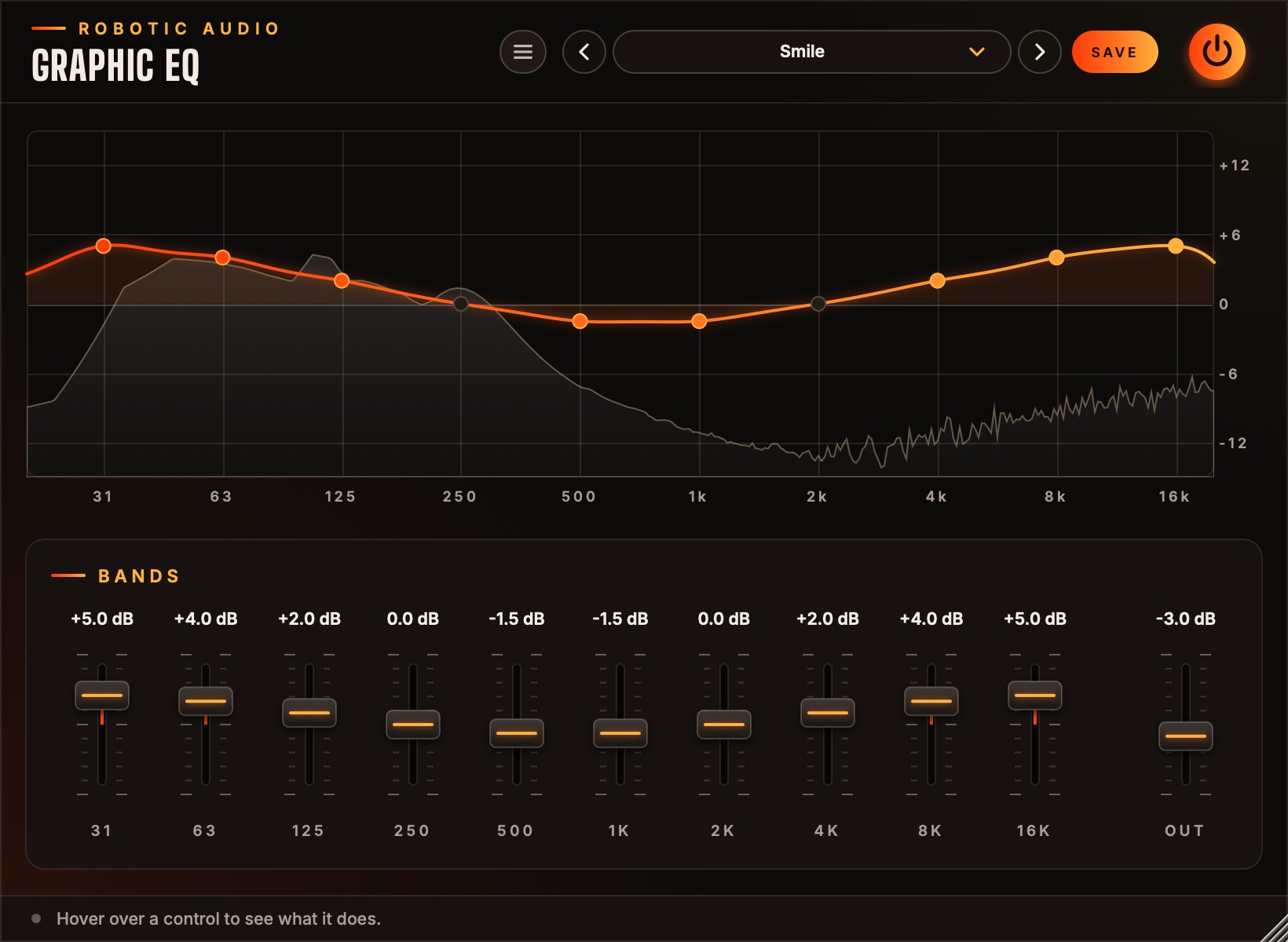
Graphic EQ has a slider for every octave from 31 Hz to 16 kHz, and a curve that is honest about them: push one and you hear exactly what the display shows, over the live spectrum of what comes out.
What you see is what you hear
In most graphic EQs neighbouring bands overlap and the curve never quite matches the sliders. Graphic EQ works out how far to push each filter so the curve passes through every slider and stays smooth in between.
Draw the curve
Sweep the mouse across the display and every band you pass follows, or drag a slider or a dot.
The spectrum behind it
The output's spectrum moves behind the curve, so peaks that need a cut stand out.
Smooth and light
Gains glide, so sweeps and automation never click. A flat band costs nothing, and the EQ rests while silence comes in.
Presets to start from
Smile, Warmth, Air, Clear the Mud, Vocal Presence, Bass Boost, Telephone and Lo-Fi Radio.
Listen
Audio demos
Audio demos are on their way.
- Type
- Ten-band graphic EQ (effect plugin)
- Formats
- AU, VST3 and Standalone
- macOS
- macOS 11 or later, Apple Silicon and Intel
- Windows and Linux
- VST3 and Standalone
- Status
- In development, version 0.1
- Price
- To be announced
Graphic EQ is coming soon
Leave your address and get a note the day it is released.